Configure Demo Data
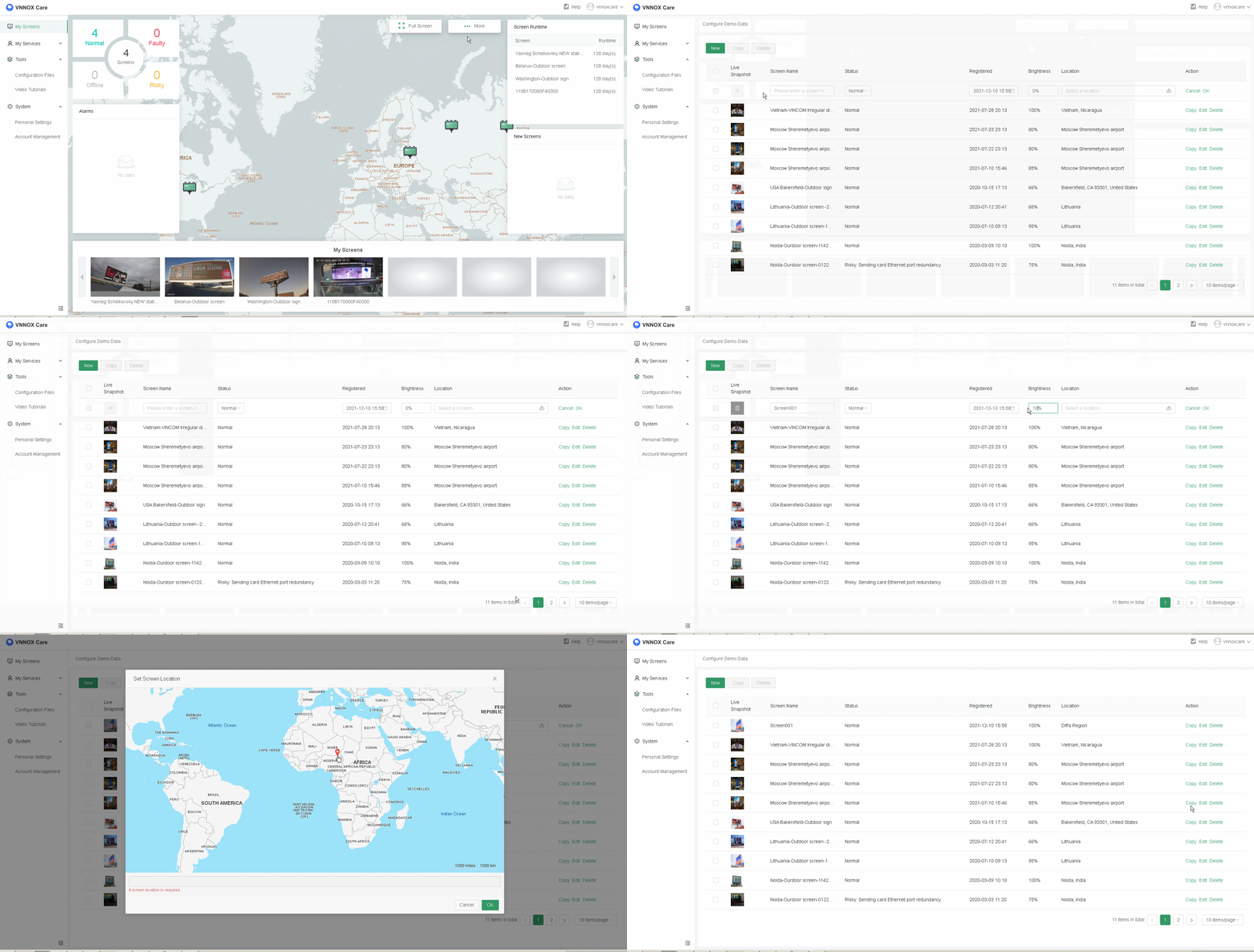
This chapter uses an example to show you how to configure demo data so as to display the monitoring data when a screen is not bound to VNNOX Care.
- From the upper right of the data panel, choose More > Configure Demo Data to access the demo data configuration page.
- Click New and configure the screen information as required.
- Click OK to complete the configuration.