System Logs
Logs of sub-account activities after login can be viewed to support traceability.
- From the navigation bar on the left, choose System > System Logs.
- View System Access Logs and Logs Imported from VNNOX.
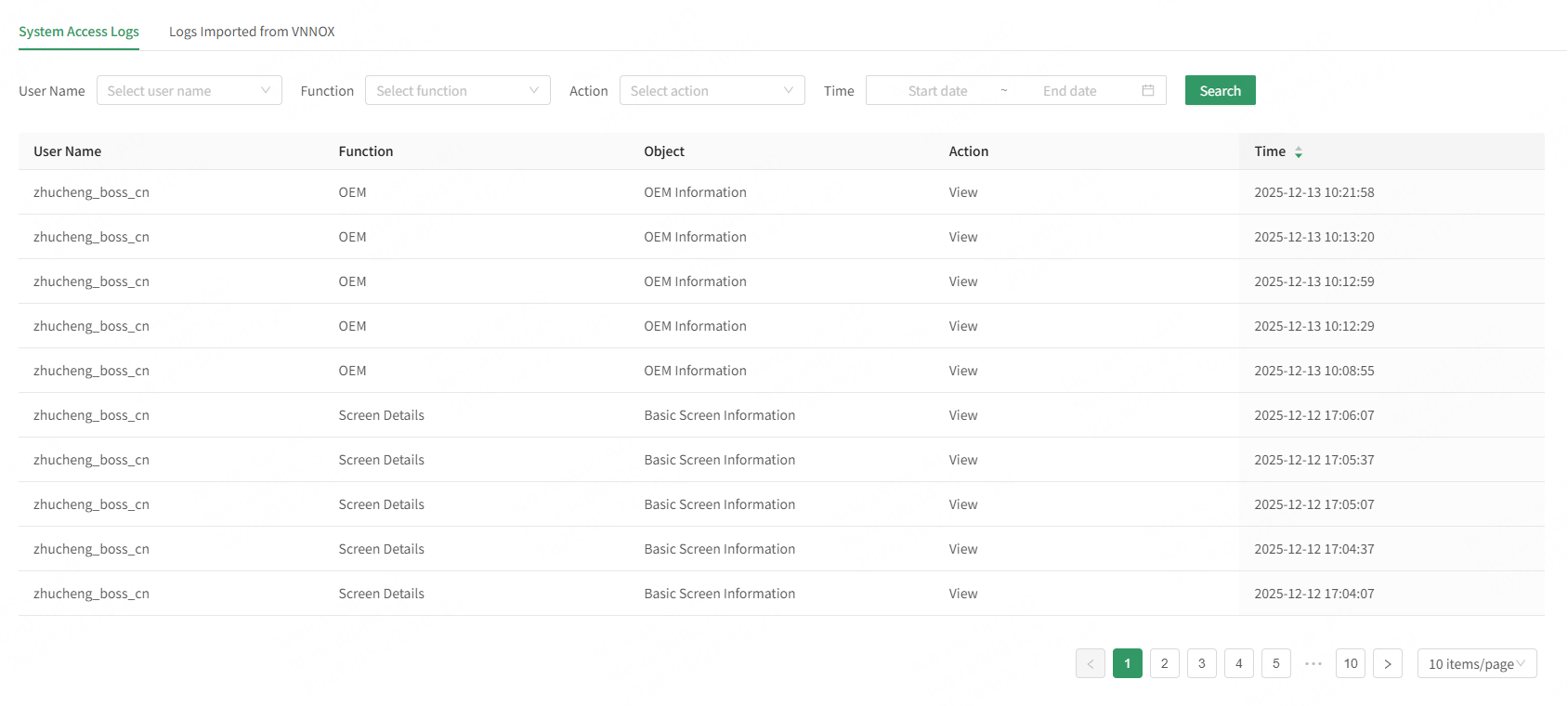
- System Access Logs: Select a user name, function, action, and time range, and then click Search to view the user operation logs.
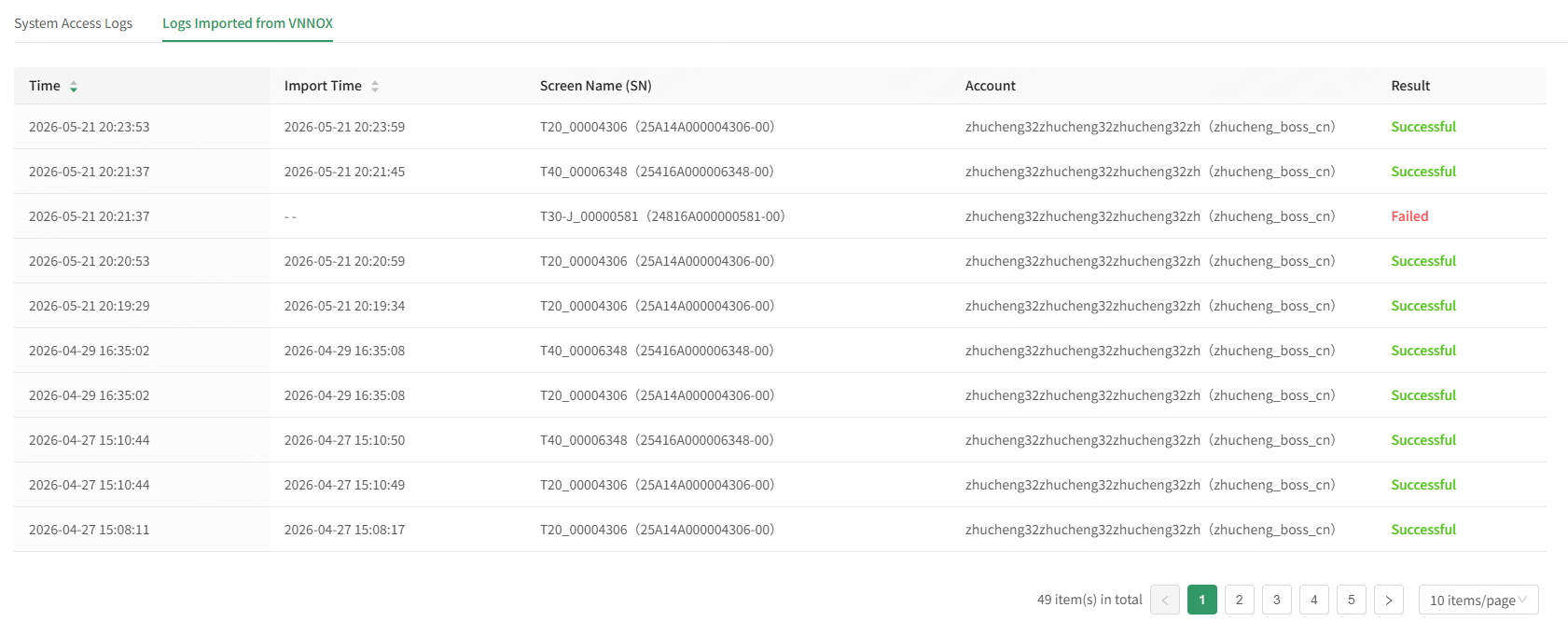
- Logs Imported from VNNOX: After devices are imported from VNNOX, users can view the logs imported from VNNOX, including operation time, import time, screen name, and account information.