
Bind to VNNOX Care via User Name and Password
If there is no configuration files, you can bind screens to VNNOX Care by using the user name and password of VNNOX Care.
Prerequisites:
- The screens you want to bind to VNNOX Care are configured with NovaLCT.
- You have obtained the account information of VNNOX Care from NovaStar, including an access URL, user name and password.
- The system is connected to the Internet.
- To bind screens of the asynchronous control system, the Taurus must be V3.3.0 or later.
- Use NovaLCT to bind screens of the synchronous control system and use ViPlex Express to bind screens of asynchronous control system.
# Bind to VNNOX Care with NovaLCT
- Open and log in to NovaLCT. The default password is "admin".
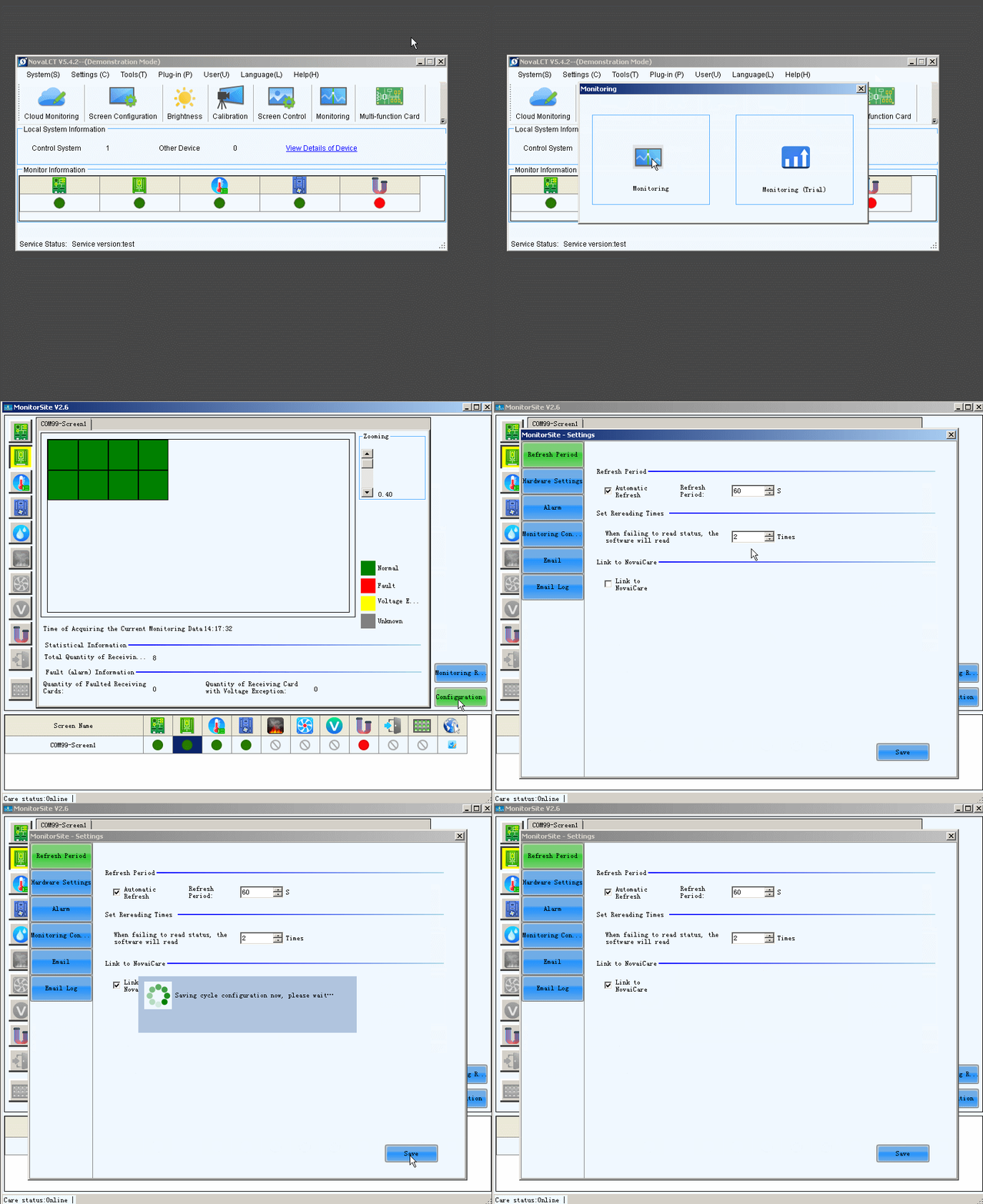
- Click Monitoring, or choose Tools > Monitoring from the menu bar.
- Click Configuration to open the MonitorSite - Settings dialog box. Do the following and click Save.
● On the Refresh Period tab page, select Automatic Refresh and set the refresh period.
● In the Set Rereading Times area, set the reread times when the reading of the monitoring information from the receiving card fails. "2" is recommended.
● Select Link to NovaiCare.
- Go back to NovaLCT. Click Cloud Monitoring, or choose Settings > Cloud Monitoring.
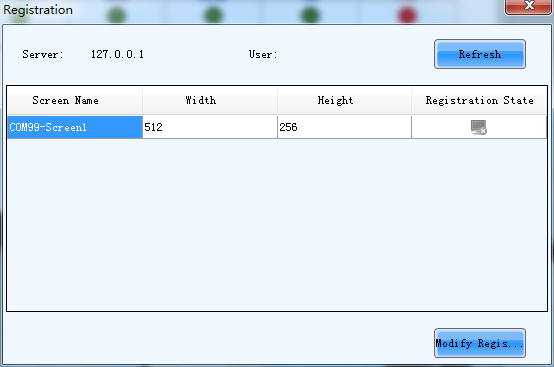
- Click Modify Registration.
- Select a server, enter the login user name of VNNOX Care, specify a screen name, and click Register.
Make sure that the control computer has Internet access. Otherwise, the screen cannot be bound successfully.
# Bind to VNNOX Care with ViPlex Express
- Open ViPlex Express and click Refresh to refresh the screen list.
 : Denotes that the Taurus is online and you can log in to it. Go to step 2.
 : Denotes the Taurus is offline and you cannot log in to it.
 : Denotes you have successfully logged into the Taurus.
- Click Connect next to the screen information.
- Enter the password for the "admin" user and then click OK.
The default password is "123456".
- Choose Terminal Control > Server configuration and select the target terminal from the terminal list.
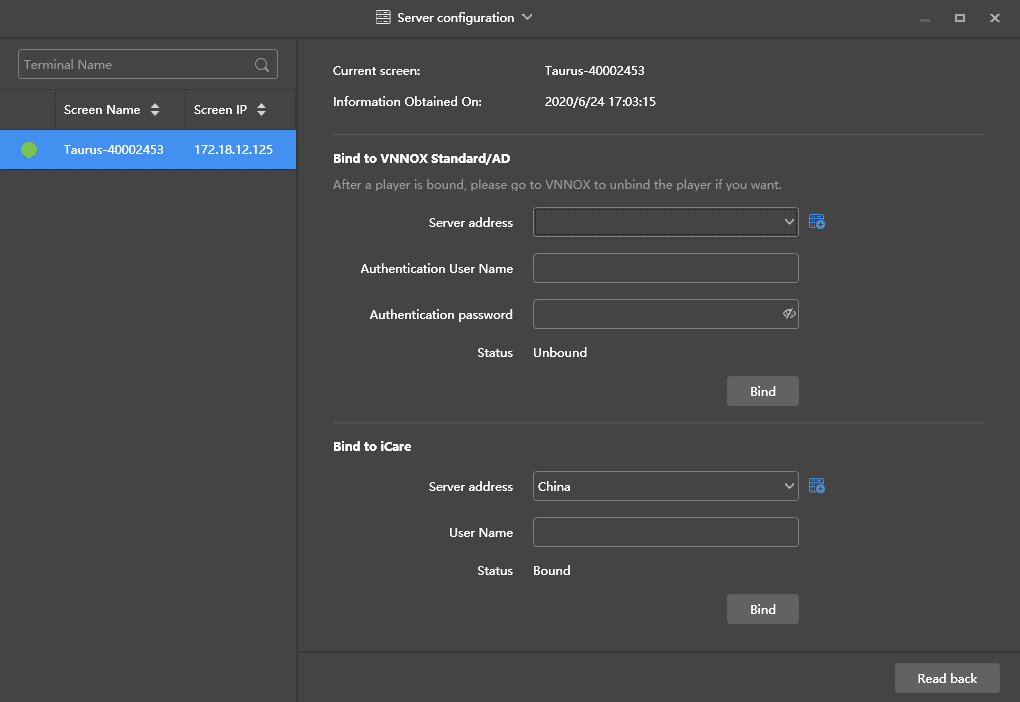
- In the Bind to iCare area, select a server, enter your login user name of VNNOX Care, and click Bind.
Make sure that the control computer has Internet access. Otherwise, the screen cannot be bound successfully.